How to Keep a Character Consistent Across AI Images
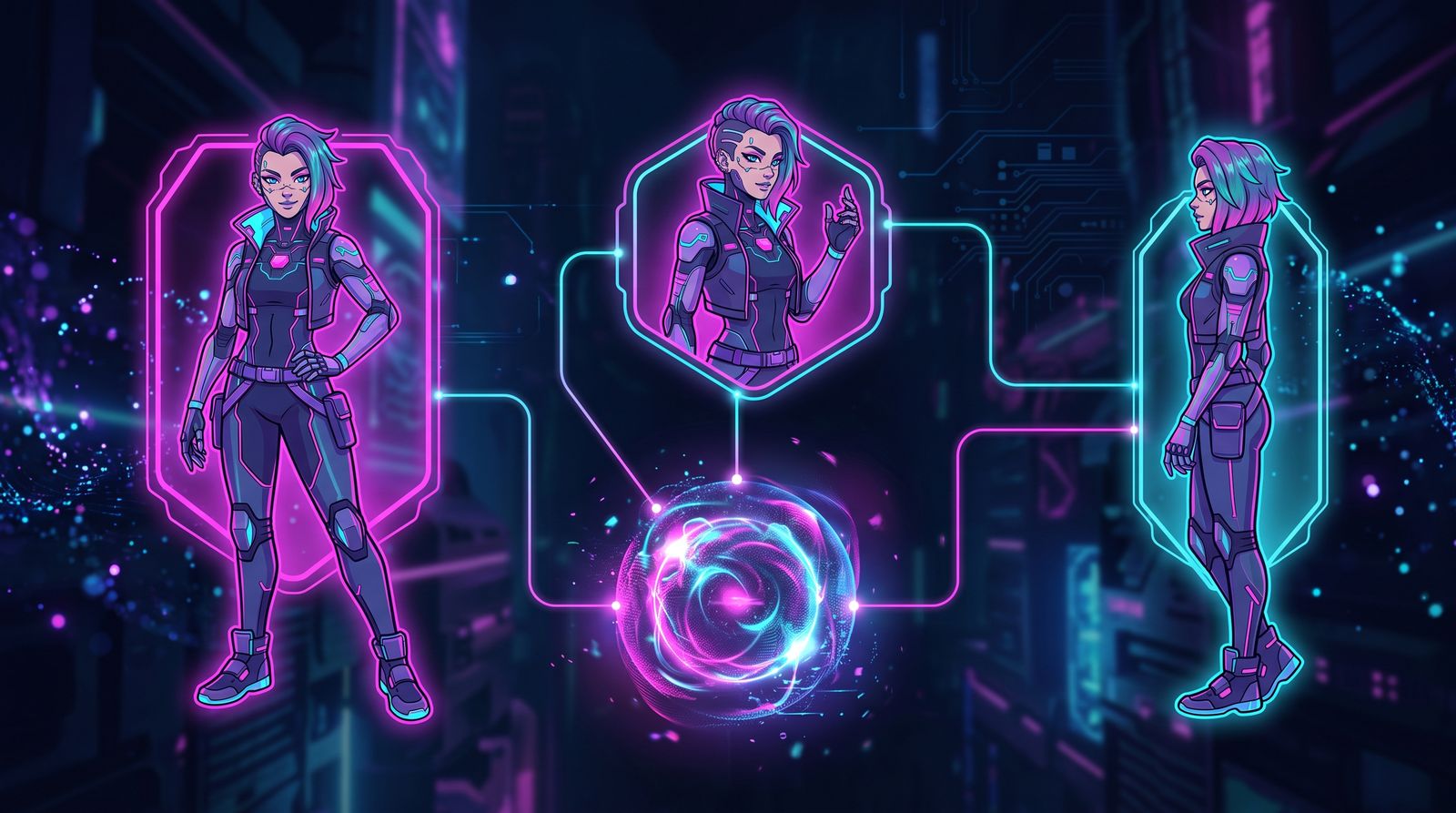
The first time you generate a portrait you love, it feels like magic. The second time you try to put that same face into a different scene and it comes out as a stranger, the magic curdles into frustration. Character consistency is the single biggest gap between making pretty pictures and telling a story, and it is almost entirely a process problem rather than a tooling problem.
A consistent character has to survive changes in pose, lighting, outfit, camera angle, and emotion while still reading as one specific individual. That is hard because the things that make a face recognizable, the spacing of the eyes, the shape of the jaw, the particular nose, are exactly the things models love to improvise. The fix is to remove the improvisation from identity while leaving it free everywhere else.
Define the Character Before You Generate Anything
Most inconsistency starts with a vague description. "A young woman with brown hair" describes millions of people, so the model picks a new one each time. Write a character sheet in words first, and be specific about the features that anchor identity rather than the ones that change.
- Anchor traits (keep these identical every time): face shape, eye color and shape, distinctive nose or jaw, hair color and texture, skin tone, age range, any signature feature like freckles or a scar
- Flexible traits (allowed to vary scene to scene): outfit, expression, pose, hairstyle if not anchored, background, lighting
- Forbidden drift (watch for these creeping in): age changes, eye color shifts, hair length jumps, ethnicity ambiguity
Phrase the anchor traits as a compact, fixed block of text you paste into every prompt verbatim. Resist the urge to reword it between generations. Consistency in your prompt produces consistency in your output; if the description drifts, the face drifts with it.

Lock the Seed, Then Change One Thing at a Time
When you find a generation that nails the character, capture its seed immediately. The seed is the random starting point, and reusing it with the same model keeps the underlying structure stable. From there, change a single variable per generation: swap the pose, or the outfit, or the lighting, but not all three at once. This is how you discover how much you can vary before identity breaks.
A locked seed is not a perfect clone machine. Large prompt changes will still push the face. But it gives you a stable baseline to work from, which is far better than rolling fresh dice every time and praying for a match.
Use Reference Images as the Source of Truth
Text alone can only carry so much identity. The most reliable consistency comes from feeding the model an actual image of your character and asking it to preserve that face in a new context. Whether your tool calls it image reference, identity transfer, or character reference, the principle is the same: a picture pins down the dozens of subtle proportions that words cannot.
Pick one clean, well-lit, front-facing portrait as your canonical reference and reuse it. Avoid reference images with heavy shadows, extreme angles, or strong expressions, because the model may bake those quirks into the identity it carries forward. A neutral reference travels into more scenes without dragging baggage along.

The Iterative Loop: Generate, Compare, Correct
Consistency is maintained, not achieved once. Build a habit of comparing every new image against your reference grid before you accept it. Put them side by side and ask one question: does this look like the same person to a stranger who has never seen the character? If you have to convince yourself, the answer is no.
- Keep a reference grid of three to four canonical images open while you work
- Generate in small batches and reject anything that drifts, rather than fixing it in post
- When a face is close but off, regenerate with a stronger reference weight before reaching for manual edits
- Use inpainting to repair a single broken feature (an eye, the mouth) while keeping the rest of a good image
- Save winners back into your reference set so the character gets easier to reproduce over time
Pitfalls That Break Identity
The fastest way to lose a character is to chase a more interesting image at the expense of the face. A dramatic three-quarter angle in golden light may look stunning and contain none of the proportions that made the character recognizable. Beautiful is not the goal; consistent is the goal, and the two occasionally conflict.
Other common traps: letting age slide younger or older between scenes, allowing hair length to wander, and over-stylizing one image so heavily that it no longer matches the set. Treat your character like a real actor with a fixed face and a flexible wardrobe. The wardrobe, the lighting, and the mood are yours to play with. The face is not negotiable, and protecting it is what turns a folder of nice pictures into a believable, recurring character.
Frequently asked questions
How do I keep the same face across multiple AI-generated images?
Write a fixed block of anchor traits, such as face shape, eye color, hair, skin tone, age range and any signature mark, and paste it verbatim into every prompt. Pair that with a clean reference image of the character and a locked seed. Change only one variable per generation so you can see when identity starts to break.
Does reusing the same seed keep an AI character consistent?
Reusing a seed with the same model gives you a stable starting point, but it is not a clone machine. Large prompt changes will still push the face in new directions. Treat the seed as a baseline and vary pose, outfit or lighting one at a time.
What makes a good character reference image for AI?
Use one clean, evenly lit, front-facing portrait with a neutral expression as your canonical reference. Heavy shadows, extreme angles or strong expressions can get baked into the identity the model carries forward. A neutral reference works in the widest range of new scenes.
How do I fix an AI character image that is almost right but slightly off?
First try regenerating with a stronger reference weight. If only one feature is wrong, such as an eye or the mouth, use inpainting to repair that region while keeping the rest of the image. Reject images that drift too far rather than trying to rescue them in post.